
How to Build a Focus-Friendly Workspace at Home
A focus-friendly workspace does not need to look perfect. Its purpose is to make the next useful task easier to start and unnecessary interruptions slightly harder to reach.
Start with the task, not the aesthetic
Decide what kind of work happens in the space: writing, study, calls, creative work or administration. Keep the tools for that task within reach and move unrelated objects out of the immediate field of attention.
Reduce digital interruptions
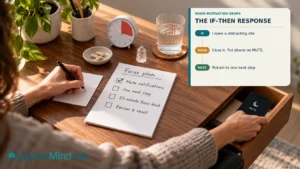
During a focus period, disable nonessential notifications, close unrelated tabs and keep only the applications needed for the current task visible. If your phone is not required, place it outside immediate reach rather than relying on willpower.
Make physical comfort sustainable
Use a chair and desk arrangement that lets you work without constant adjustment. Keep frequently used materials nearby, check that lighting is comfortable and position the screen so you are not repeatedly twisting or leaning toward it.
Create a simple visual system
A completely empty desk is unnecessary, but every item should have a reason to be there. Give papers, cables and supplies a defined home. A small tray or drawer can prevent the work surface from becoming an inbox.
Use sound and signals intentionally
Some people work best in quiet; others prefer consistent background sound. Test what helps your task. Headphones, a timer, a closed door or a visible note can also signal when you are concentrating and when you will be available again.
Run a one-week workspace experiment
After each work session, note the first interruption or source of friction. Change one factor at a time and test the arrangement again. This makes the workspace an experiment based on your actual routine rather than a copy of an online setup.
FAQ
Do I need a separate room?
No. A defined corner, temporary desk setup or consistent visual signal can work when the space is shared.
Should my desk be completely minimal?
Only if that helps you. The useful standard is not minimalism; it is whether the environment supports the task you intend to complete.
What should I change first?
Start with the interruption you can remove most easily, such as unnecessary notifications, an unclear task list or materials that are difficult to reach.
If you want a structured next step for improving attention and focus, explore the Focus course.